Here's what I've been building.

From a Facebook Page manager in Python to a chess engine, fractal explorer, and artillery game in C++. Each project gives me a different problem to work through, from API failures to search and simulation.

Python · Graph API · Windows / Linux

FBManager

A Python CLI for Facebook Pages I’m authorized to manage. It brings publishing, Page authorization, and local action history into one terminal workflow, with an interactive menu or individual commands.
Inside FBManager
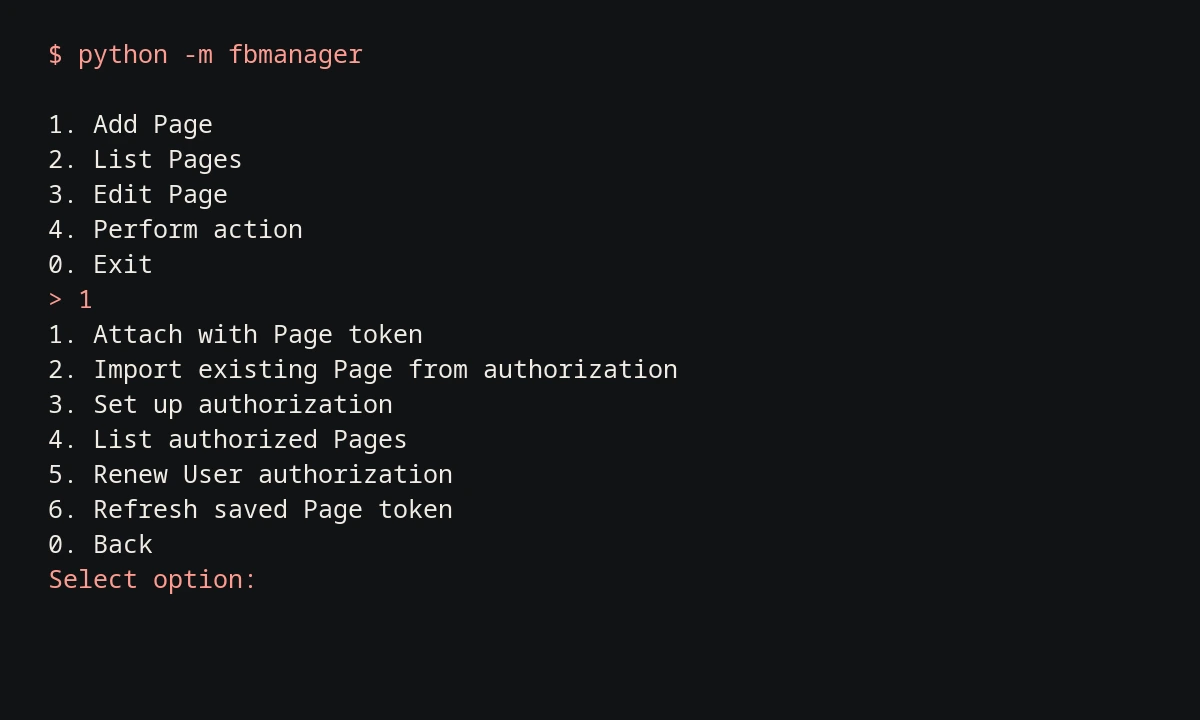
FBManager terminal menu with Page authorization and token renewal options

Page management, one prompt at a time.

Read the captured session ↗

The capture shows the actual main menu and Page setup options from a local run. Choose a saved Page, prepare a post, or check its history without leaving the terminal.

This session was recorded offline with an empty database. Publishing requires a Meta app and Page permissions; live publishing was not tested for this showcase.

  1. Connect the Pages you manage.

    Import authorized Pages or attach a Page token, then save each Page under a local nickname. Renew authorization and refresh tokens from the CLI.

  2. Publish text, images, or links.

    Post text, a single image, or a link preview; comment and like as a saved Page. The menu previews actions before confirmation. Direct commands submit immediately.

  3. Keep track of what happened.

    SQLite stores the local action history. JSON output makes Page lists and command results usable in scripts.

Read-only command examples

$ python -m fbmanager --help
$ python -m fbmanager accounts list
$ python -m fbmanager --json accounts list
$ python -m fbmanager history --limit 10

Credentials and uncertain requests.

Credentials are encrypted with Fernet using a key derived from a vault passphrase with scrypt. Page metadata and action history remain unencrypted in the local database.

If a write request loses its response, the action may already have succeeded. FBManager records an unknown status instead of automatically retrying, so I can check the result before sending it again.
C++ · SDL · My own engine

Chess

I write the engine behind the moves: legal move generation, position evaluation, and search. You can play through the SDL interface or run the same engine from the command line over UCI.

Inside Chess
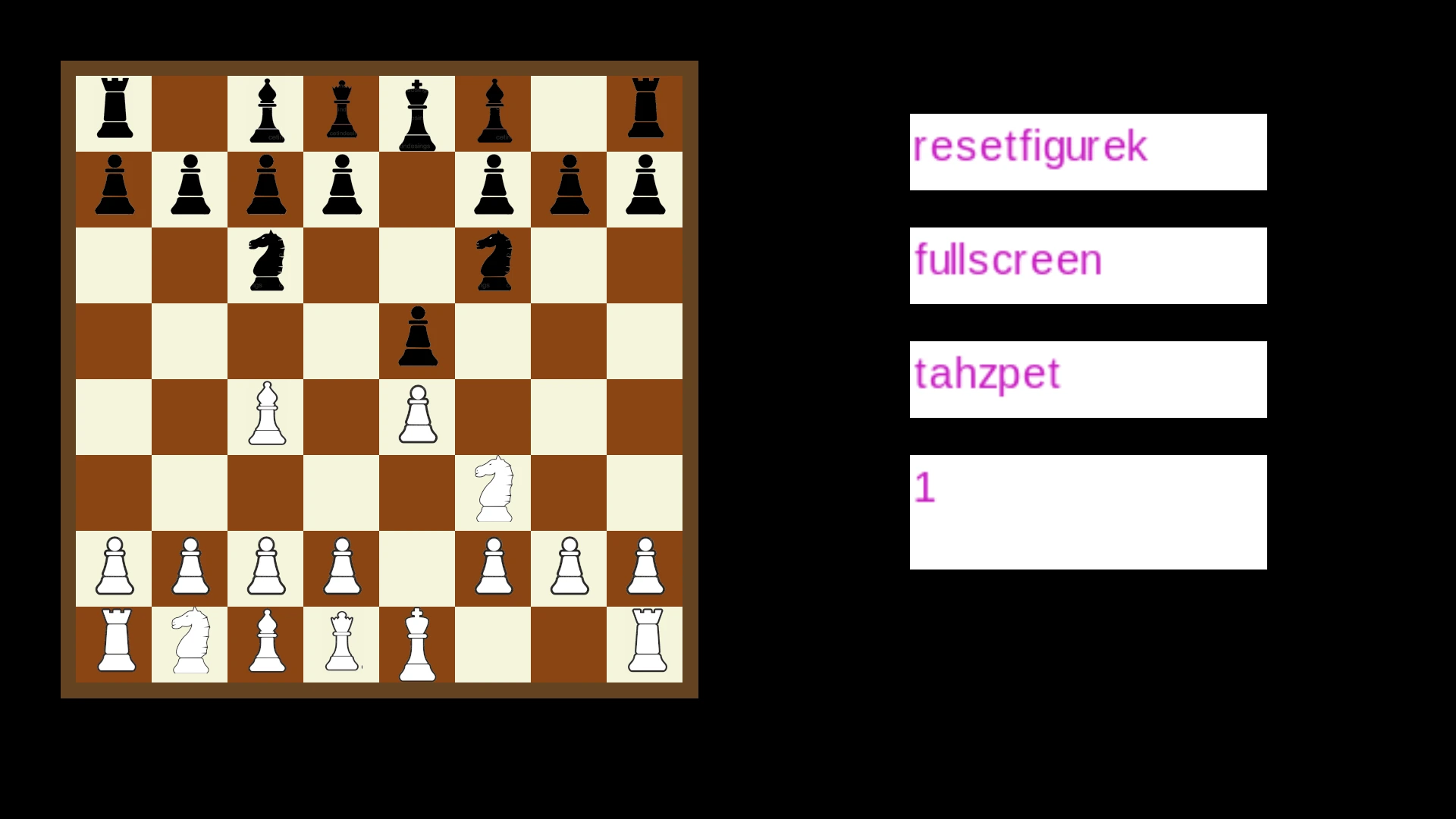
Current SDL chess application after 1. e4 e5 2. Nf3 Nc6 3. Bc4 Nf6

The rules come before the clever moves.

Open full screenshot ↗

Before choosing a move, the engine has to know which moves are legal. It handles check, castling, en passant, promotion, repetition, and the fifty-move draw. The SDL interface adds undo, reset, and fullscreen play. The screenshot shows the current app after a scripted opening.

  1. Keep a move ready as the search goes deeper.

    Iterative deepening finishes one depth before starting the next. That leaves a completed result available if the search has to stop.

  2. Try promising moves first.

    Move ordering helps alpha-beta pruning skip branches of the search. A transposition table reuses results when different move sequences reach the same position.

  3. Follow the exchanges before judging the position.

    Quiescence search follows tactical exchanges beyond the main search depth. The evaluation weighs material, piece placement, pawn structure, and king safety.

Recorded search · depth 5 · one worker

> go depth 5
info depth 5
  nodes 134582
  time 2874
  score cp 18
  pv b1c3
info string workers 1
bestmove b1c3

Set the search limits.

Root moves can be split between a configurable number of workers. The desktop app accepts --threads; UCI exposes Threads, Hash, OwnBook, and time controls. Above is one recorded run at depth 5 with one worker.

Recorded UCI session · selected lines

> uci
id name Michal Chess
id author Michal
option name Threads type spin default 7 min 1 max 256
option name Hash type spin default 16 min 1 max 1024
option name OwnBook type check default true
uciok
> setoption name Threads value 1
> setoption name OwnBook value false
> isready
readyok
> position startpos moves e2e4 e7e5 g1f3 b8c6 f1c4 g8f6
> go depth 5
info depth 5 nodes 134582 time 2874 nps 46815 score cp 18 pv b1c3
info string workers 1 book candidates 0
bestmove b1c3

Run it from the command line.

UCI gives the engine a text interface: send a position and search limits, then read the result. It also responds to stop while searching. The same engine runs without an SDL window. The transcript above shows a recorded command-line session.

C++ · Qt 6 · Interactive mathematics

Komplex

A C++ and Qt 6 app for exploring Mandelbrot, Julia, Burning Ship, and Tricorn fractals. You can change the parameters, zoom into the result, and read the maths behind it alongside the image.

Inside Komplex
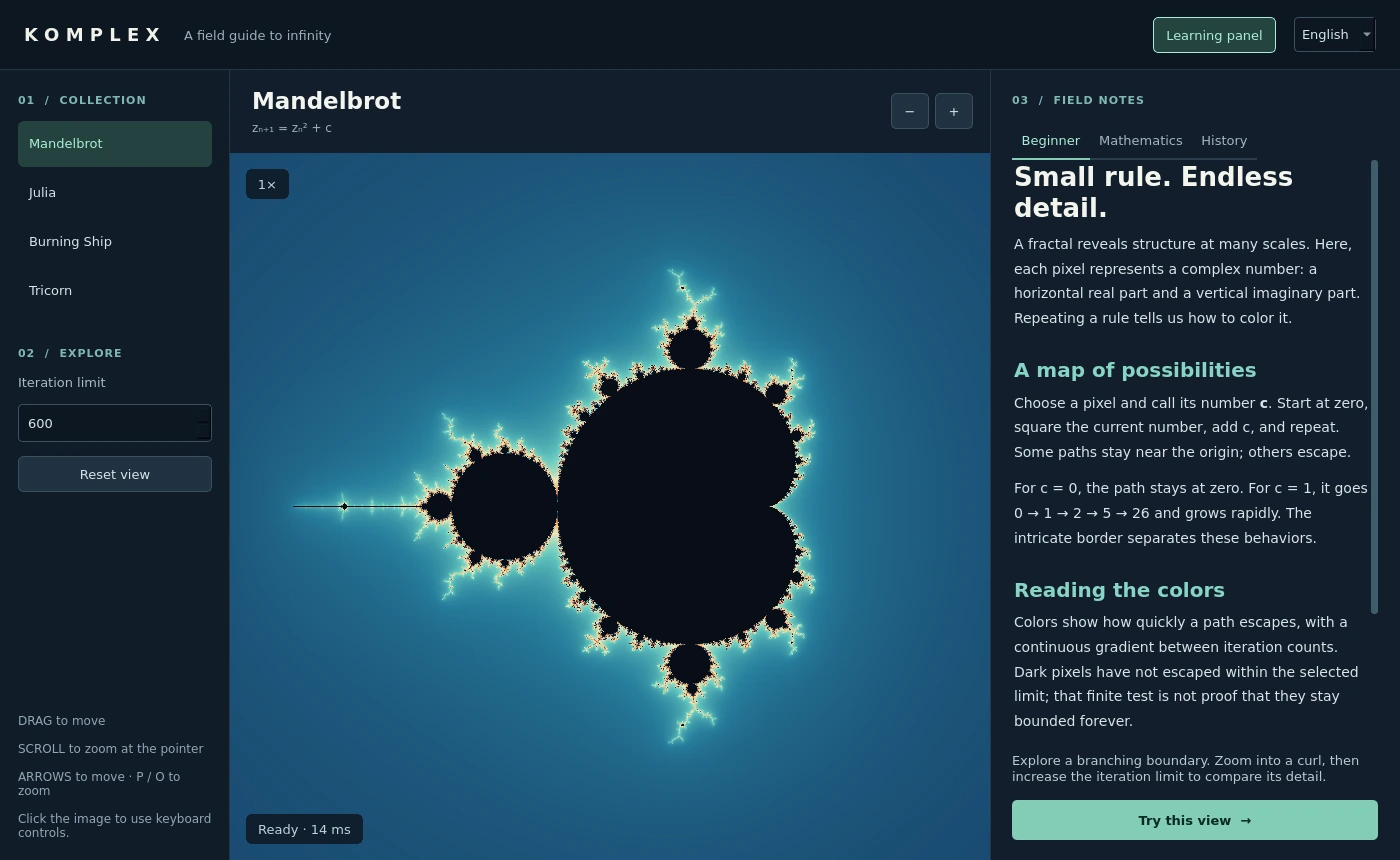
Current Komplex Qt 6 app showing the Mandelbrot set and English learning panel

Zoom while the image catches up.

Open full screenshot ↗

Each fractal remembers its view while you switch between them. Drag to pan, zoom around the pointer, and raise the iteration limit for more detail. CPU workers render tiles in the background. Quick previews respond to movement first; the full image follows once you stop.

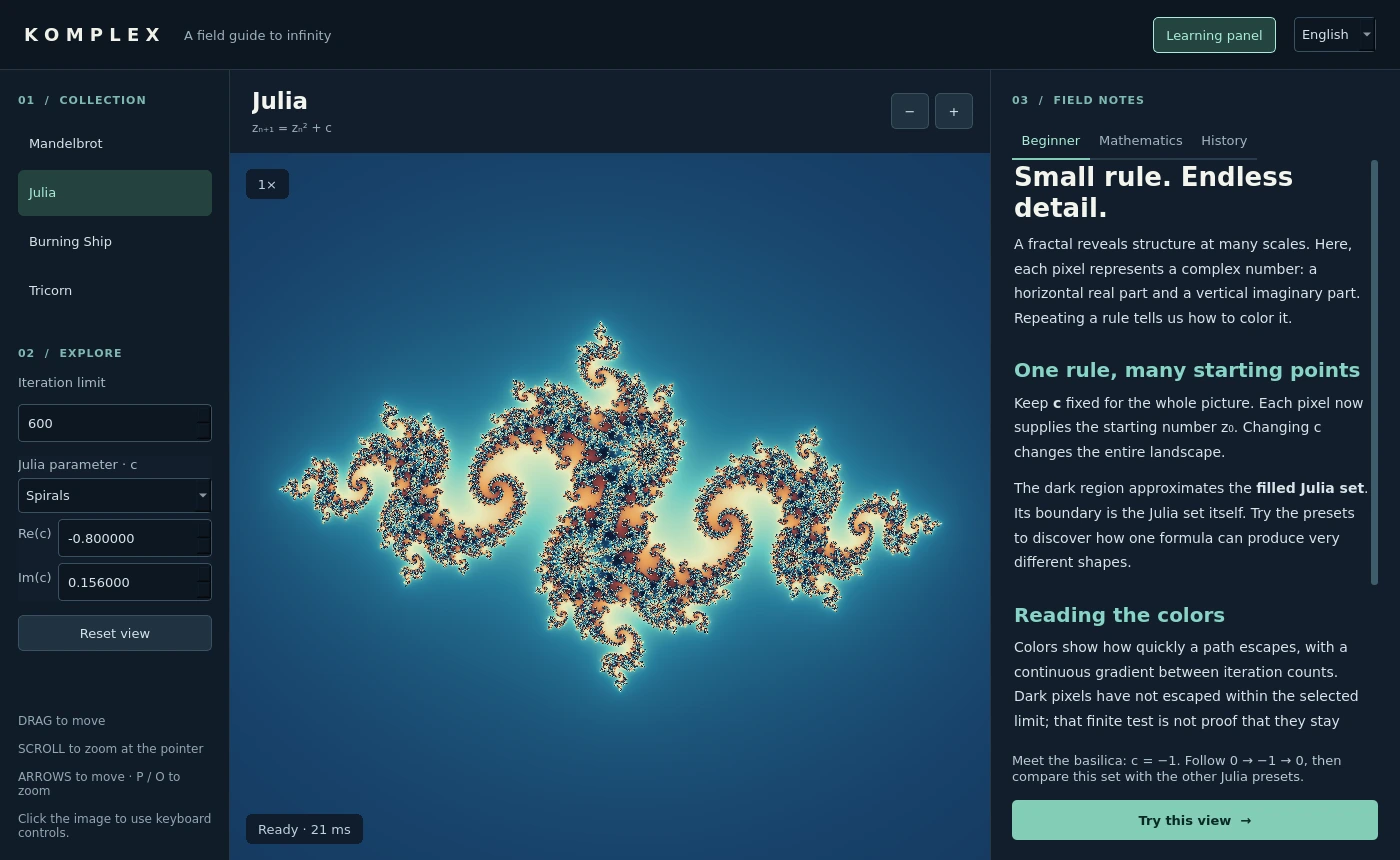
Julia set in Komplex with real and imaginary parameter controls

See what happens when you change c.

Open full screenshot ↗

In the Julia view, each pixel starts at a different complex number and repeats z² + c. You can adjust the real and imaginary parts of c, or start with one of three presets. The image makes the effect visible; the lesson explains the calculation.

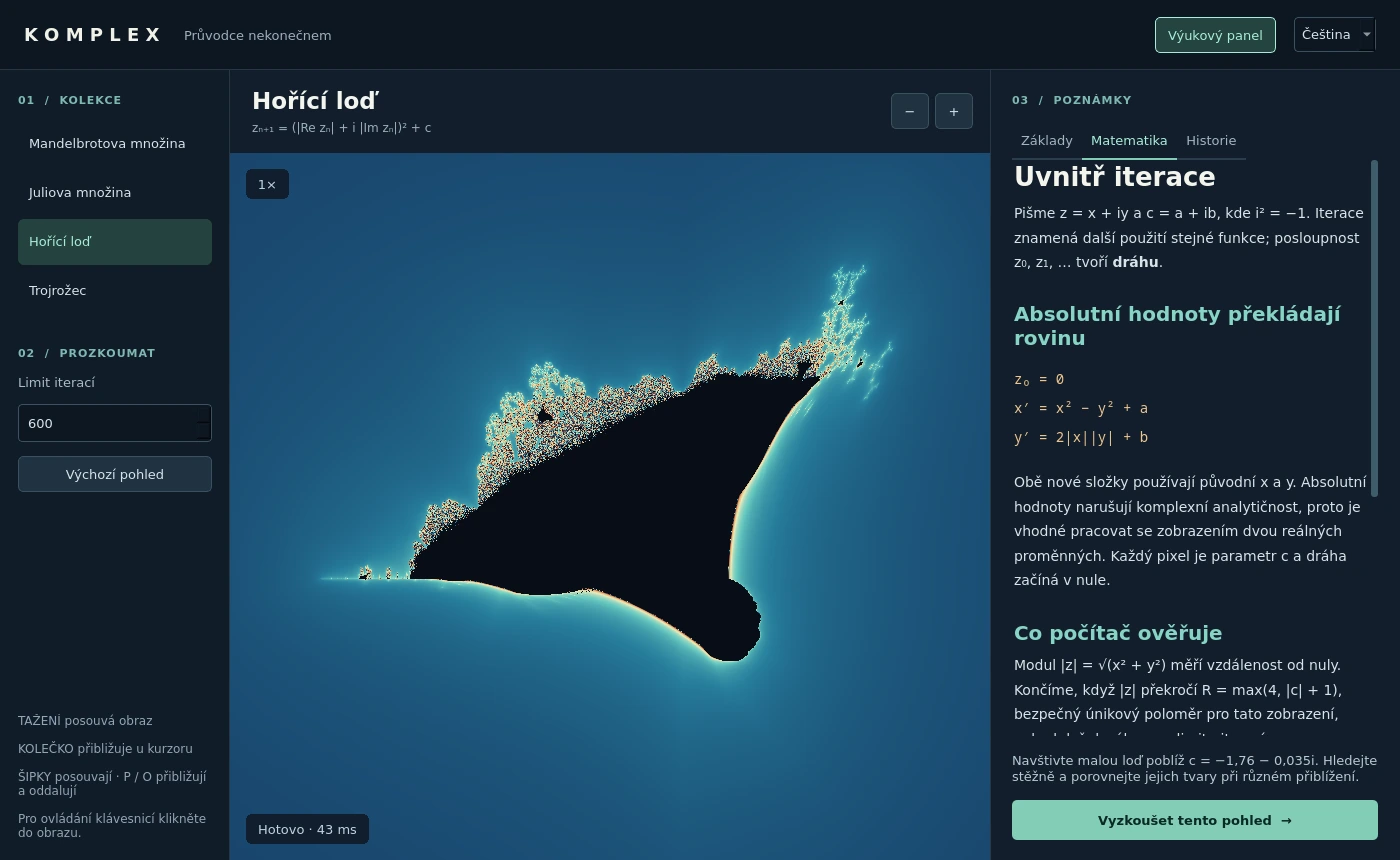
Burning Ship fractal and Czech Mathematics lesson in the current Komplex app

Read the maths, then try the view.

Open full screenshot ↗

The learning panel covers the basics, mathematics, and history of each fractal in Czech and English. A lesson can load a view for you to explore, so the explanation stays next to its example. All lessons work offline.

C++17 · SDL2 · Artillery simulation

Iron Duel

An artillery game for 2–9 local players, with AI opponents when the keyboard isn’t crowded. Five weapons, collapsing terrain, and replays that check every completed shot.

Inside Iron Duel

The hill under you is part of the problem.

Share a keyboard or play against the computer across 1–9 rounds. Shells, rockets, bouncing shots, cluster bombs, and the ultimate weapon can damage a tank or remove the ground supporting it. A turn ends only after the debris and tanks settle. Round standings keep track of the wins.

The terrain is a pixel grid. After an explosion, gravity visits only the unsettled columns, and the renderer updates only the changed part of its cached terrain texture.

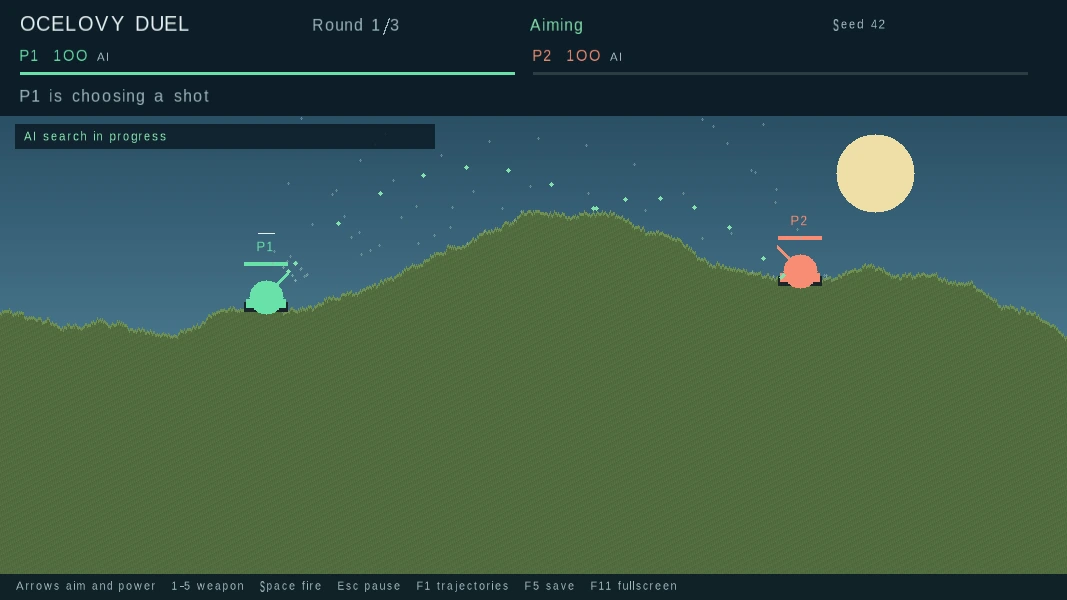
Ocelovy Duel showing AI candidate trajectories with the F1 debug view

The computer tries the shot before taking it.

Open full screenshot ↗

The AI searches combinations of angle, power, and available weapons. It refines promising shots, then runs the finalists through a copy of the full simulation, including craters, fragments, and falling damage. The same physics decides both the preview and the real shot.

Three difficulty levels change the search effort and aiming error. F1 reveals candidate trajectories, so you can see some of the shots it considers.

Recorded verification of the downloadable replay

./program --verify iron-duel-sample.odr
Verified 1 replay checkpoints
seed=42 rounds=1 shots=1 hash=1296834004986104171
player=1 wins=1 damage=100
player=2 wins=0 damage=0

Play it back. Check the result.

The C++ simulation runs at a fixed 60 Hz and has no SDL dependency. A replay stores the setup, accepted shot commands, and a state checksum after each resolved shot. Playback runs the simulation again and stops at the first mismatch.

The sample below is a completed one-round AI match, verified with the same build that recorded it. Replay repeatability is supported within the same build.